Last Updated: October 23, 2026
Quick Summary
iPad charging port repair cost ranges from $59-$179 at independent repair shops to $199-$549 at Apple, depending on your iPad model, connector type, and whether the repair involves port-only replacement or board-level work.
- USB-C ports on newer iPads often require microsoldering, which costs more than modular Lightning port replacements on older models.
- Independent shops typically offer same-day to 48-hour turnaround for straightforward port swaps, while Apple repairs often take 5-10 business days.
- Apple typically replaces the logic board or entire device rather than the port alone, which explains the higher price range.
- Before paying for repair, try a different charging cable, check for debris in the port, and test with another power adapter.
- Consider replacement instead of repair if your iPad is 7+ years old or if repair cost approaches the device’s resale value.
Table of Contents
- What Determines iPad Charging Port Repair Cost
- iPad Charging Port Repair Cost by Model and Generation
- Apple Service vs. Third-Party Repair Pricing
- iPad Charging Port Replacement Cost and Labor
- iPad Charging Port Repair Time and Turnaround
- Diagnosing When Your iPad Charging Port Is Not Working
- iPad Repair vs. Replacement: When to Replace Instead
- Frequently Asked Questions
What Determines iPad Charging Port Repair Cost
The price you’ll pay for an iPad charging port repair depends on several factors that vary between providers.
The primary cost drivers are your iPad model and generation, the repair provider, and the extent of the damage.
Location and local market rates also play a role, and expedited same-day or next-day service typically costs more than standard timelines.
Rather than guessing, get a quote from your preferred provider to understand exactly what you’ll pay.
iPad Charging Port Repair Cost by Model and Generation
Prices for an iPad charging port repair vary widely by model, generation, and connector type. The table below gives typical out-of-warranty U.S. price ranges for a standalone port replacement at an independent shop, alongside the approximate Apple service range. Treat these as planning ranges, not quotes: parts sourcing, local labor rates, and board-level work will move the final number.
| iPad family and generation | Connector | Independent shop range (parts + labor) | Apple service range (out-of-warranty) | Notes |
|---|---|---|---|---|
| iPad Pro 11-inch / 12.9-inch (2018 and newer, M-series) | USB-C | $99-$179 | $299-$549 | USB-C port is often soldered to a daughterboard; board-level work can push the top of the range. |
| iPad Pro 9.7-inch / 10.5-inch / 12.9-inch (2015-2017) | Lightning | $79-$149 | $249-$449 | Parts are still available but fewer shops stock them; specialization can add a premium. |
| iPad Air 4th gen and newer (2020+) | USB-C | $89-$159 | $249-$449 | Popular model, so parts and experience are widely available. |
| iPad Air 2 / Air 3 (2014-2019) | Lightning | $69-$129 | $199-$349 | High installed base keeps independent pricing competitive. |
| Standard iPad 10th gen and newer | USB-C | $79-$149 | $219-$399 | USB-C assembly is modular on some generations, which can lower labor. |
| Standard iPad 5th-9th gen (2017-2021) | Lightning | $59-$119 | $199-$329 | Among the most common repairs; many shops offer same-day service. |
| iPad mini 6th gen and newer | USB-C | $89-$159 | $229-$419 | Compact chassis raises labor time slightly versus full-size iPads. |
| iPad mini 4 / mini 5 (2015-2019) | Lightning | $59-$109 | $179-$299 | Lowest typical repair cost in the lineup. |
A few patterns explain the spread:
- Connector type matters more than screen size. USB-C ports on newer iPads are frequently integrated into a flex assembly or soldered to the logic board, so a repair that looks like a simple swap can become a microsoldering job. Lightning ports on older models are usually a more modular replacement.
- Newer does not always mean pricier at independent shops. Because USB-C is now common across the lineup, independent shops have built up experience and parts supply, which has narrowed the gap between USB-C and Lightning pricing at the low end.
- Apple’s range is wider because the fix is often a whole-unit or logic-board replacement. Apple Authorized Service Providers typically do not perform port-only microsoldering; the quoted service may replace the logic board or the device, which is why the Apple column runs several hundred dollars higher.
Ask the shop whether the quote is for a port-only replacement or a board-level repair. The two are priced very differently, and a quote that seems low may not cover the actual damage.
Use the table to sanity-check any quote. If an independent quote for a standard iPad 9th generation comes in at $200, ask what is driving it above the typical range. If an Apple quote for an iPad Pro lands near the low end, confirm whether it’s a port repair or a whole-unit replacement.
Apple Service vs. Third-Party Repair Pricing
The two main repair routes differ less in the work performed than in what you’re buying: a targeted port repair versus a broader service that may replace more of the device. Compare them on price, parts, warranty, turnaround, and data risk together.
Price comparison at a glance
For a typical out-of-warranty charging port repair, the pattern looks like this:
| Factor | Apple Store or Apple Authorized Service Provider | Independent repair shop |
|---|---|---|
| Typical out-of-warranty price | $199-$549 depending on model | $59-$179 depending on model |
| What is replaced | Often the logic board or the whole device; port-only repair is uncommon | The port or port assembly; board-level work only if needed |
| Parts | Genuine Apple parts | Genuine, OEM, or quality aftermarket, depending on the shop |
| Warranty on the repair | Typically 90 days | Varies; many shops offer 30-90 days, some longer |
| Turnaround | Often 5-10 business days if parts are not in stock | Often same-day to 48 hours for a straightforward port swap |
| Data risk | Device may be replaced, so back up first | Device is usually returned with data intact, but confirm |
What drives the Apple price
Apple’s published service pricing is set by device family, not by the failed component. When the charging port is the problem, the service often replaces the logic board or entire unit rather than desoldering the connector, which is why an Apple quote can land several hundred dollars above an independent port repair for the same symptom. The upside is genuine parts, a documented repair, and a warranty honored across Apple’s service network.
What drives the independent price
Independent shops compete on targeted repair. A technician identifies whether the port, flex cable, or logic-board traces are at fault and fixes only that. Labor is billed by the job or hour, and parts come from the aftermarket or donor devices. The result is usually a much lower price, but quality varies: some shops use genuine or OEM-grade assemblies, others lower-cost aftermarket connectors that may wear faster.
Warranty and coverage considerations
- Apple: Repairs carry a limited warranty, typically 90 days, and the work is recorded against the device serial number. If your iPad is still within its one-year limited warranty or covered by AppleCare+, a charging port failure that is not caused by accidental damage may be covered at no cost. Confirm coverage before authorizing a paid repair.
- Independent shops: Warranty terms are set by the shop. Ask for the warranty in writing, confirm whether it covers parts and labor, and ask whether it is voided if you later have the device serviced elsewhere.
- Credit card and extended warranties: Some credit cards extend the manufacturer’s warranty on purchases. Check your card benefits before paying out of pocket.
If your iPad is covered by AppleCare+ or is still within its limited warranty, get an Apple quote first. A paid independent repair can complicate later warranty claims, and some shops will not work on devices with active Apple coverage without a clear disclaimer.
How to choose between the two
- Choose Apple when the device is new, still under warranty, or high-value, and when you want genuine parts and a repair record tied to the serial number.
- Choose an independent shop when the device is out of warranty, the quote from Apple approaches the device’s resale value, or you need same-day turnaround.
- In either case, ask for the quote in writing, confirm what is being replaced, and back up your data before handing over the device.
iPad Charging Port Replacement Cost and Labor
The actual repair work breaks down into parts cost and labor cost. Understanding this breakdown helps you evaluate quotes from different providers.
Parts cost for an iPad charging port replacement varies by model.
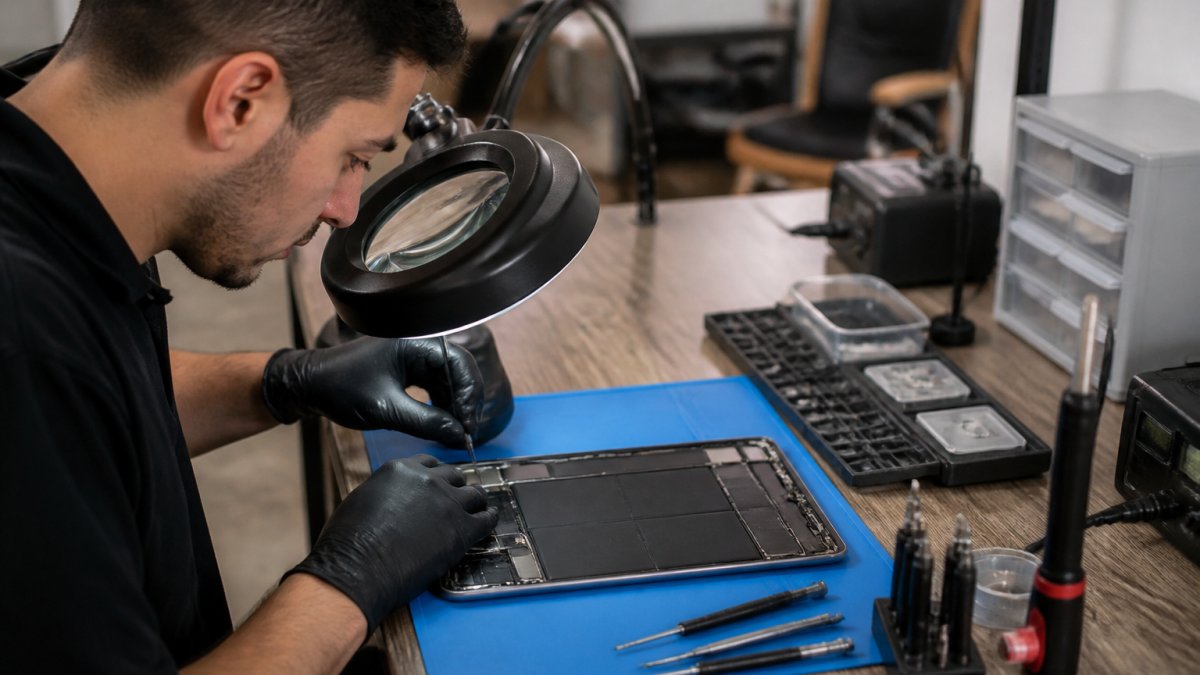
Labor cost depends on repair complexity and the shop’s local rates. A straightforward USB-C port swap might take 30-45 minutes, while board-level work could take several hours.
A standard port replacement costs less than a board-level repair requiring soldering expertise.
iPad Charging Port Repair Time and Turnaround
How quickly you get your iPad back depends on repair complexity and the shop’s workload. Most charging port repairs fall into one of three timeframe categories.
Simple port replacement typically takes 24-48 hours at most independent shops, assuming damage is limited to the connector.
Repairs requiring board-level work or soldering typically take 3-5 business days. These demand more technical skill and careful evaluation of the damage; if parts must be sourced, turnaround extends further.
Apple’s repair timelines often stretch longer: depending on location and parts availability, 5-10 business days or more. Apple typically replaces the entire device or logic board rather than repairing the port specifically, which affects both cost and timeline.
We work to minimize downtime while maintaining repair quality.
Diagnosing When Your iPad Charging Port Is Not Working
Before paying for a repair, diagnose whether the problem is actually the charging port.
Start with the basics: try a different charging cable.
Check for visible debris inside the port.
Inspect the cable connector for bent or corroded pins.
Try a different power adapter. Some charging problems come from adapter failure, not the port.
If none of these steps restore charging, the port itself likely needs professional attention.
iPad Repair vs. Replacement: When to Replace Instead
Sometimes repairing a charging port isn’t the most sensible choice. Device age, remaining useful life, and overall condition should factor in.
Consider repair if your iPad is less than 5 years old and otherwise functions well. The repair cost is typically low relative to device value, so a 3-year-old iPad Air with a charging port problem is a reasonable repair candidate.
Evaluate resale value. If you plan to sell your iPad, a repaired charging port maintains market value better than a broken one.
Battery condition matters too.
We’re honest about whether repair makes sense, and we won’t recommend expensive repairs where replacement is the smarter choice.
Getting your iPad’s charging port fixed doesn’t have to be complicated or expensive. Whether you need a quick diagnosis to rule out simpler issues or you’re ready for professional port replacement, iPhone & iPad Repair Center offers transparent pricing and expert service for all iPad models. We handle charging port repairs for everything from the latest iPad Pro to older generations, with same-day availability and honest assessments of whether repair or replacement makes sense for your device. Apple’s official iPad support documentation can help you verify your device model if you’re unsure, and we’re ready to provide a detailed repair estimate when you’re ready to move forward.
Frequently Asked Questions
How much does it cost to repair an iPad charging port?
iPad charging port repair cost depends on your device model, whether the port needs replacement or repair, and whether you choose Apple service or a third-party provider. Apple’s out-of-warranty repair pricing varies significantly by iPad model and generation. Third-party repair shops often offer lower rates, though pricing differs by location and shop. For an accurate quote on your specific iPad, contact a repair provider directly with your model and generation information.
Is it worth replacing the charging port, or should I replace the iPad?
Repair makes sense if your iPad is relatively recent and still functional otherwise. Older models (5+ years) may warrant replacement, especially if the device has other issues. Consider the device’s resale value, your usage needs, and whether repair costs exceed 40-50% of a replacement iPad’s price. If your iPad still meets your needs and the port is the only problem, replacement is typically the more economical choice.
How long does it take to replace an iPad charging port?
Most third-party repair shops complete charging port replacement in 1-3 hours. Apple service typically takes 3-5 business days for out-of-warranty repairs, depending on parts availability and service center workload. Some locations offer same-day service for certain models. Turnaround time varies based on whether the technician has the correct parts in stock and the complexity of your iPad model’s internal design.
Can I fix my iPad charging port before paying for repair?
Yes. First, power off your iPad completely. Inspect the port with a flashlight for debris, lint, or corrosion. Use a dry, soft brush or compressed air to gently clean the port, never insert metal objects. If your iPad was exposed to moisture, let it dry for 24-48 hours in a warm, dry space. Try a different USB-C or Lightning cable and power adapter to rule out cable failure. If these steps don’t restore charging, the port likely needs professional repair or replacement.
