
Table of Contents
- Laptop Charging Port Repair Service: How to Get Your Power Port Fixed
- Laptop Charging Port Not Working? Troubleshoot This First
- Laptop Charging Port Replacement vs. Component-Level Repair
- Laptop Charging Port Repair Cost: What Drives the Price
- Laptop Charging Port Repair Time and Turnaround
- Repair or Replace? Deciding Before You Spend
- Preparing Your Laptop for Service: Data Safety and Handoff
- Conclusion
- Frequently Asked Questions
Last Updated: October 18, 2026
Laptop Charging Port Repair Service: How to Get Your Power Port Fixed
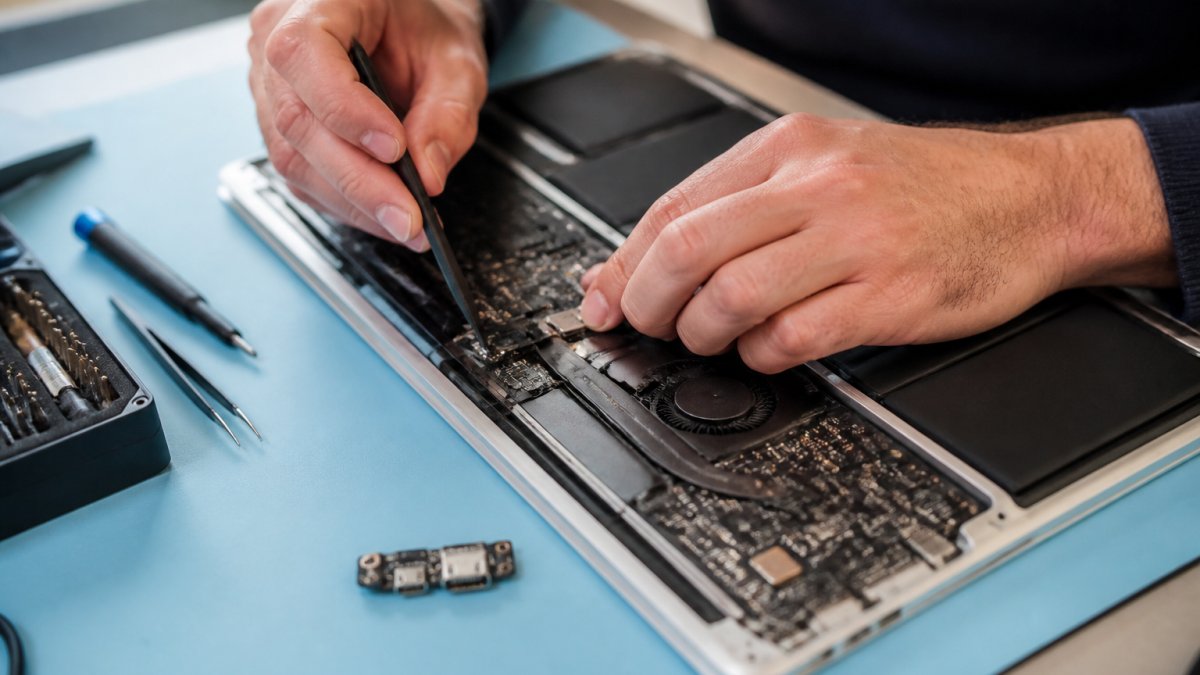
A laptop charging port repair service restores power delivery by cleaning, reflowing, or replacing the charging port (also called the DC jack or power jack) on the motherboard or its daughterboard. At iPhone & iPad Repair Center, we handle these repairs for laptops and MacBooks alongside the phones and tablets that come through our bench every day.
What a Charging Port Repair Service Actually Does
A charging port repair service diagnoses why power isn’t reaching the battery, then repairs or replaces the port itself, after confirming the fault sits in the port rather than the charger, cable, or battery. The work usually falls into one of three categories:
- Cleaning and tightening: lint, dust, or a bent internal pin is cleared, and contact is restored without soldering.
- Reflowing solder joints: the port is still good, but the solder connecting it to the board has cracked, so the joints are reheated and reflowed.
- Full port replacement: the port is physically broken or worn out and a new jack is desoldered and soldered in its place.
A good shop tells you which category your repair falls into before quoting a price.
Symptoms of a Damaged or Failing Charging Port
The tell-tale signs of a failing charging port are intermittent charging, a charger that only works at a certain angle, a loose connection that disconnects when the laptop moves, or no charging at all despite a known-good charger. A damaged port can also feel loose, or show bent pins, scorching, or debris inside the opening. If the port wiggles or the plug sits at an odd angle, stop forcing it; pushing a loose charger in can crack the solder joints further and turn a cheap fix into a board-level repair.
Laptop Charging Port Not Working? Troubleshoot This First
Before you book any repair, rule out the cheap and easy causes. A surprising share of “dead port” laptops turn out to have a bad cable, a frayed power adapter, or lint packed into the jack. Work through these steps:
- Try a different charger and cable. Use a known-working adapter with the correct wattage for your model.
- Check the wall outlet and power strip. Swap outlets and confirm the adapter’s indicator light comes on.
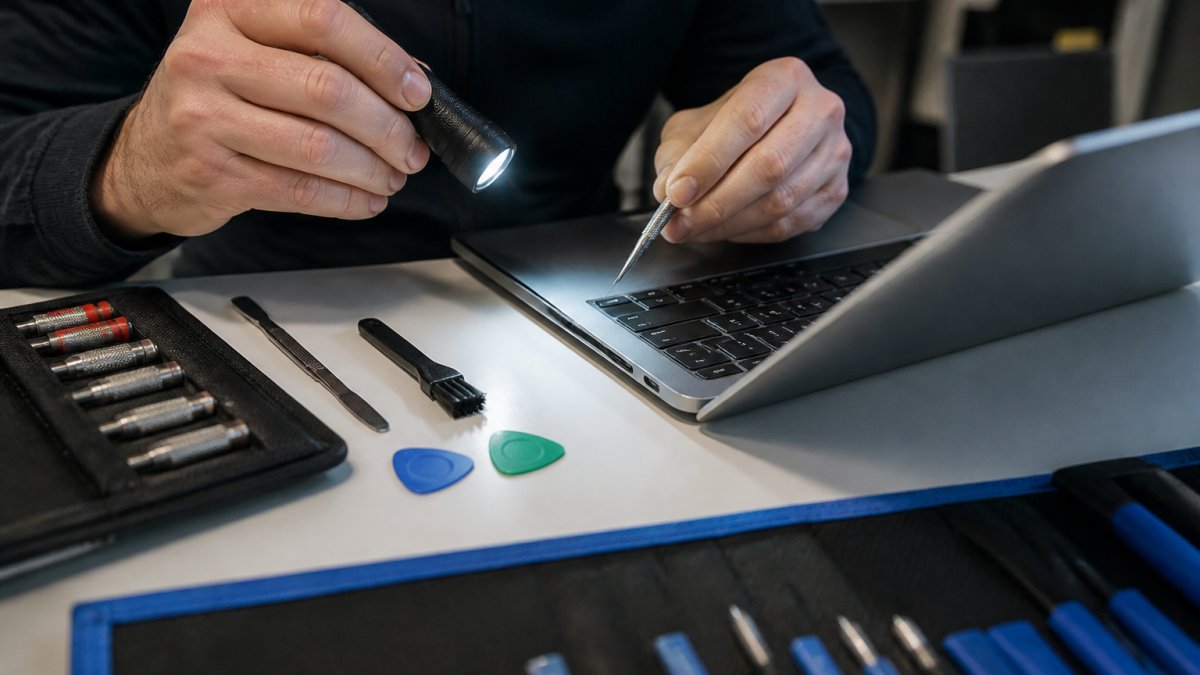
- Inspect the port with a flashlight. Look for lint, dust, bent pins, or burn marks. A wooden toothpick can lift out loose debris; never use metal.
- Test at different angles. If charging only works when the plug is held a certain way, the port or its solder joints are the likely culprit.
- Check the battery health. A worn battery can mimic a charging fault, so confirm the battery itself holds a charge.
If none of these restore reliable charging, the fault is inside the laptop and it’s time for a professional diagnostic evaluation.
Shine a phone flashlight into the port before you do anything else. Compressed lint is the single most common cause of “my laptop won’t charge,” and it’s a two-minute fix that costs nothing.
Charger, Cable, or Port: Isolating the Fault
Isolating the fault comes down to substitution: swap one variable at a time. Borrow a charger you know works on another laptop of the same model, then test your cable on a different device. If a known-good charger and cable still won’t charge your laptop, the port, the battery, or the charging circuit on the motherboard is at fault.
Laptop Charging Port Replacement vs. Component-Level Repair
Component-level repair fixes the existing port, while a full port replacement installs a new jack. If the port is physically intact but the solder joints have cracked from years of plugging and unplugging, a technician can reflow those joints without swapping parts. If the internal pins are bent, worn, or the plastic housing is cracked, replacement is the durable fix.
USB-C, Barrel Connector, and Soldered Jacks
The port type changes the repair. USB-C ports are common on modern laptops and are often mounted on a separate small board, which makes replacement cleaner and less invasive. Barrel connectors are the older round plugs; mechanically simple but heavily stressed, so their solder joints are frequent failure points. Soldered jacks are fixed directly to the motherboard, so the repair requires careful desoldering and re-soldering, and mistakes can damage the logic board.
Never let anyone pry at a soldered port with a screwdriver to “tighten” it. That trick can crack the motherboard traces around the jack and turn a port repair into a full logic board replacement.
Laptop Charging Port Repair Cost: What Drives the Price
Charging port repair pricing depends on the port type, whether the jack sits on the main board or a separate board, the cost of the replacement part, and the soldering labor. We don’t publish a flat rate because those variables swing widely between models. Expect an itemized estimate that separates parts and labor before work begins. The factors that move the number:
- Port type: a USB-C port on a daughterboard is usually simpler than a soldered barrel jack on the motherboard.
- Part availability: common models have cheap, in-stock parts; rare models may need a special order.
- Repair method: reflowing existing joints costs less than a full replacement.
Ask for the estimate in writing and confirm whether it includes the diagnostic fee. For current pricing on your specific model, contact iPhone & iPad Repair Center for a quote.
What an Itemized Estimate Should Show
A transparent quote breaks the job into line items rather than one lump sum. Ask for these five lines:
- Diagnostic fee, what it costs to confirm the fault, and whether it is credited toward the repair if you approve the work.
- Replacement part, the jack or daughterboard itself, listed by part number or model compatibility.
- Labor, bench time for disassembly, desoldering, soldering, and reassembly.
- Board-level surcharge, an added charge when the port is soldered to the main board rather than a separate board, because the risk and time are higher.
- Tax and return shipping or pickup, the costs that appear after the repair total.
If a shop quotes a single number with no breakdown, ask what happens if the diagnosis reveals a cracked solder joint instead of a broken jack. The answer tells you whether the quote is a real estimate or a marketing number.
Typical Price Bands by Repair Type
Exact prices vary by model and region, but most shops price in three bands:
- Cleaning and tightening: the lowest-cost outcome, often a bench-minimum charge or a small labor fee, because no part is replaced.
- Reflow of existing solder joints: labor-only pricing, typically below a full replacement because there is no part cost.
- Full port replacement: the highest band, driven by the part plus the labor to desolder and solder the jack, and higher still when the port is on the main board.
A USB-C port on a separate daughterboard is usually the least expensive full replacement because the board swaps out as a unit. A soldered barrel jack on the motherboard is usually the most expensive because it requires board-level soldering and carries more risk. When you get quotes, ask each shop to state which band your repair falls into and why.
Diagnostic Fees and How They Are Handled
A diagnostic fee covers the time to open the laptop, test the charger and port, and confirm where the fault sits. Policies vary: some shops credit it toward the repair if you approve the work, some waive it when you proceed, and some charge it regardless. Before you drop off the laptop, ask: What is the diagnostic fee?
Model-Specific Variation
Two laptops with the same symptom can carry very different quotes. The variables that move the number most are whether the port is soldered to the main board, whether the part is in stock, and how much disassembly is required. Thin laptops and models with glued or soldered assemblies take more bench time and carry more risk, so expect a higher labor line.
A fair quote is itemized, names the repair method, and states the diagnostic fee policy. If you can’t tell from the estimate whether you’re paying for a cleaning, a reflow, or a replacement, ask before you approve the work.
Laptop Charging Port Repair Time and Turnaround
Most charging port repairs are completed the same day when the replacement part is in stock, and many are finished within a few hours. Turnaround depends on whether the shop has your port in stock, how deep the disassembly goes, and whether the repair is a reflow or a full replacement. A reflow on an accessible port can be quick; a soldered jack buried under the keyboard takes longer.
Turnaround is a parts question more than a skill question. Ask “do you have my port in stock right now?” before you hand over the laptop, and you’ll know whether to expect same-day or a multi-day wait.
Repair or Replace? Deciding Before You Spend
Repair usually wins when the laptop is otherwise healthy, the repair costs far less than a replacement machine, and the data on the drive matters. Replacement makes more sense when the laptop is old, slow, and already showing other failures, or when the port repair quote approaches the cost of a comparable used machine. Run this comparison before you commit:
| Situation | Better Choice | Why |
|---|---|---|
| Solid laptop, single port fault | Repair | Cheapest path back to working order |
| Port on separate board, part in stock | Repair | Fast, low-risk, same-day possible |
| Old laptop with multiple failures | Replace | Repair money is better spent on a newer machine |
| Port repair quote near machine value | Replace | Diminishing returns on the repair |
| Important files only on this drive | Repair first | Get data access before deciding anything else |
If the laptop is your daily work machine and everything else about it works, a port repair is almost always the smarter spend.
The Cost-to-Value Rule of Thumb
Compare the repair quote to what the laptop is worth today, not what you paid for it. A common threshold: if the repair costs less than roughly a third of a comparable replacement machine, repair is usually the better financial call. If the quote climbs toward half the price of a new or certified-used equivalent, replacement starts to make more sense, especially if the laptop is already several years old.
Device Age and Remaining Life
Age matters because a port repair restores one function, not the whole machine. A laptop one to three years old and otherwise reliable is a strong repair candidate: the port is likely the only worn part. A laptop five or more years old that already shows slow performance, a weak battery, or a failing hinge may be near the end of its useful life, and the repair money is better put toward a replacement.
When Repair Is the Clear Winner
Repair is the obvious choice in several situations:
- The laptop is otherwise healthy. No performance problems, no other hardware faults, and the battery still holds a reasonable charge.
- The port sits on a separate board. A daughterboard swap is fast, low-risk, and often same-day, which makes the repair cost easy to justify.
- The data matters and isn’t backed up. Restoring power is the first step to getting files off the drive, and a repair is cheaper than professional data recovery.
When Replacement Makes More Sense
Replacement deserves serious consideration when:
- The quote approaches the machine’s value. At that point you are paying new-machine money for old-machine performance.
- Other failures are already present. A weak battery, a failing keyboard, or a cracked hinge means the port is one of several problems, and fixing one leaves the others.
- The model is obsolete or parts are scarce. A special-order port with a long lead time can leave you without a working laptop for days or weeks.
A Simple Decision Sequence
Work through these questions in order and stop at the first clear answer:
- Is the data backed up? If not, repair first to regain access, then back up before deciding anything else.
- Is the laptop otherwise healthy? If yes, repair is likely the right call.
- Is the repair quote under about a third of a comparable replacement? If yes, repair usually wins.
- Is the laptop five or more years old with other failures? If yes, replacement is usually the better spend.
- Is the part in stock and the turnaround short? If yes, the repair is low-risk and easy to justify.
If you are still unsure, ask the shop for the itemized estimate and the repair method before you decide.
Don’t approve a repair just because it is cheaper than a new laptop. Compare the repair cost to the machine’s current value and remaining useful life, not to the price of a brand-new model, or you can end up spending good money on a laptop that was already near retirement.
Preparing Your Laptop for Service: Data Safety and Handoff
Back up your files before you hand the laptop over, even though a port repair doesn’t touch the storage drive. A charging port fix is a hardware repair on the power side of the board, so your photos and documents aren’t the target, but a backup protects you against the unexpected. Before drop-off:
- Back up to an external drive or cloud service while the laptop still holds a charge.
- Note your login details or remove them if the shop needs to boot the machine to test charging.
- Bring the charger and cable so the technician can verify the fix with your own power adapter.
A transparent shop will explain exactly what it needs to access and why. At iPhone & iPad Repair Center, we walk you through the handoff and confirm the repair plan before any work starts.
Charge the laptop to full before drop-off if it still accepts any charge at all. A machine with some battery life is easier to test and diagnose than one that’s completely dead on arrival.
Conclusion
A dead charging port feels like a dead laptop, but it’s usually a contained, fixable hardware fault, and the right diagnostic tells you in minutes whether you’re looking at a cleaning, a reflow, or a replacement. Isolate the fault before you spend, ask whether the part is in stock before you hand over the machine, and get an itemized estimate that separates parts from labor.
Frequently Asked Questions
How much does it cost to fix a laptop charging port?
There is no single price, because a charging port repair depends on the laptop model, whether the jack is soldered to the motherboard, and whether the shop has to replace the whole port or just reflow a loose connection. Expect the quote to separate parts from labor. Ask for an itemized estimate before work starts, and get a free evaluation so the shop can confirm the fault is the port and not the charger or battery.
Can a charging port on a laptop be repaired, or does it always need replacement?
Many damaged ports can be repaired without a full replacement. A loose connection or cracked solder joint is often fixed with component-level soldering. A bent barrel connector, broken USB-C tongue, or torn pads usually calls for laptop charging port replacement. A technician should diagnose first, then tell you which path applies and why, rather than quoting a replacement by default.
How do I know if my laptop charging port is damaged instead of the charger?
Test the charger and cable on another compatible device, and try a known-good charger on your laptop. If the laptop charges with a different adapter but not yours, the charger is the problem. If it still will not charge, wiggle the plug gently in the port and watch for flickering charge status. Intermittent charging, a plug that feels loose, or charging only at a certain angle points to the port.
How long does laptop charging port repair take?
Turnaround depends on the repair method and parts availability. A straightforward port replacement on a common model can be done the same day when the part is in stock. Soldered jacks and models that need a special order take longer. Confirm the timeline in writing before you leave the device, and ask whether the shop stocks parts for your laptop model or orders them after diagnosis.