
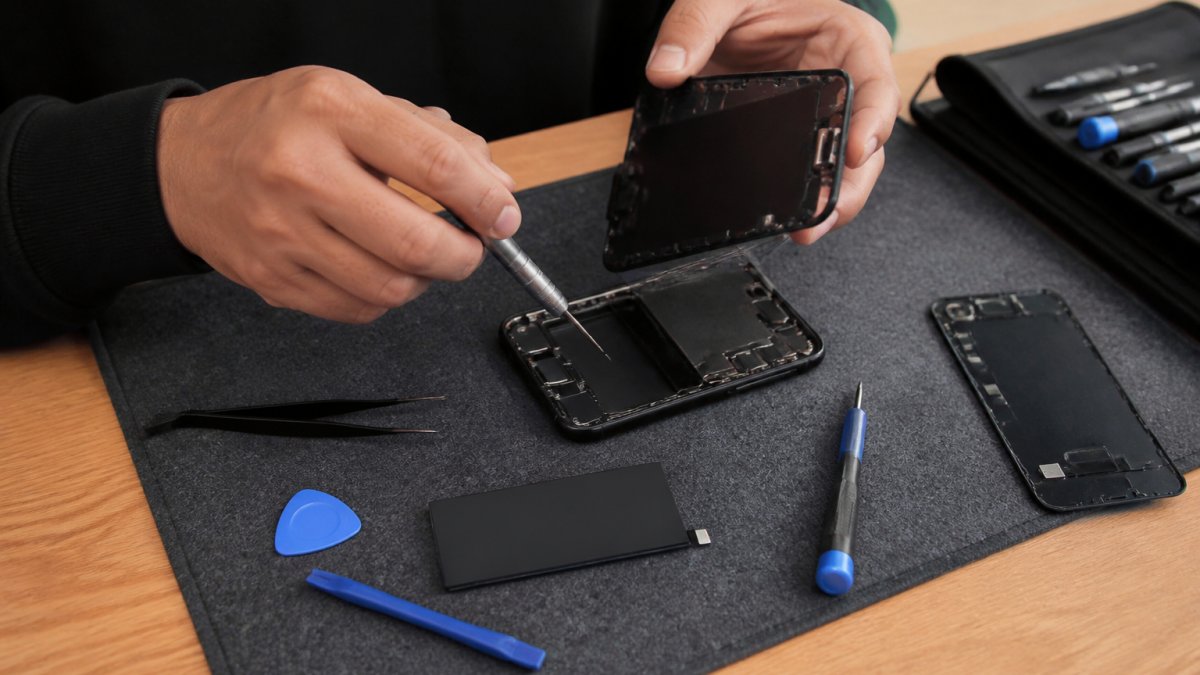
Table of Contents
- iPhone Battery Replacement Near Me: Finding Local Service
- iPhone Battery Health: When to Replace
- iPhone Battery Replacement Cost: What to Expect
- iPhone Battery Replacement Time and Turnaround
- Authorized iPhone Repair vs Independent Shops
- How to Schedule a Repair and Prepare Your Device
- After the Replacement: Battery Care and Expectations
- Frequently Asked Questions
Last Updated: October 18, 2026
iPhone Battery Replacement Near Me: Finding Local Service
Your iPhone dying by 2 p.m. is not a mystery. This guide from iPhone & iPad Repair Center covers all three, including what Apple-authorized service means, when a battery actually needs replacing, and how to prepare your device before anyone opens it.
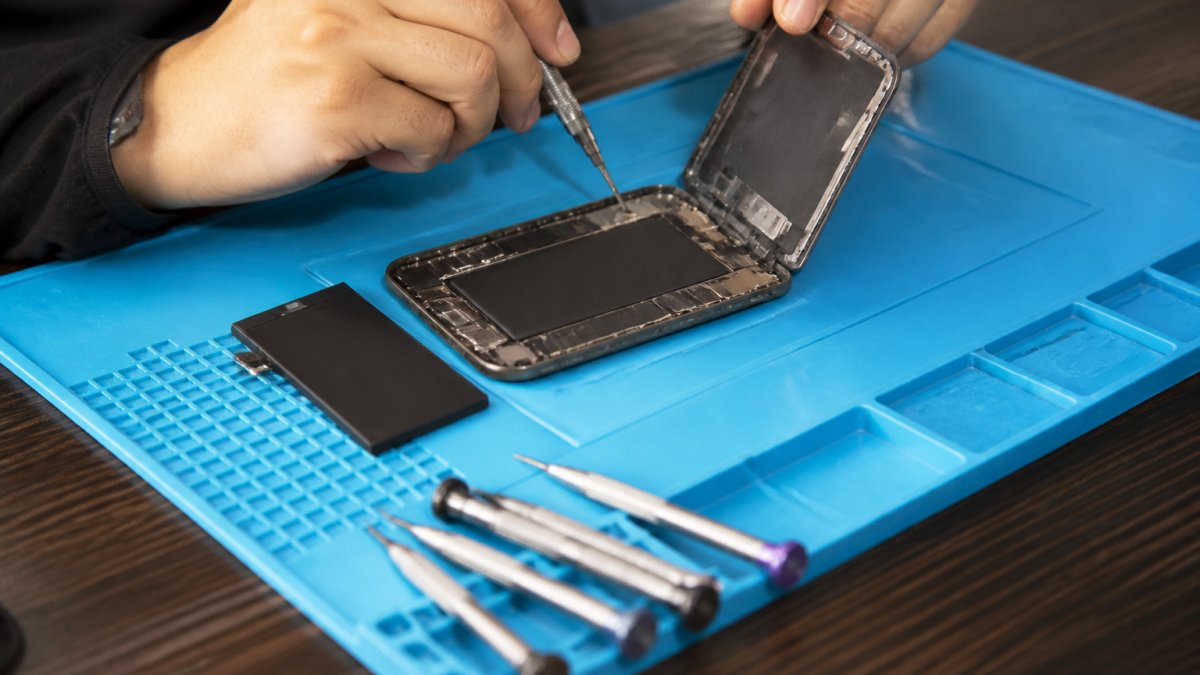
A quick definition before we go further: iPhone battery replacement is the process of opening the device, removing the sealed lithium-ion cell, and installing a new one, followed by calibration and testing.
Here is the part most guides skip. The “near me” in your search matters more than the brand name on the sign.
Signs Your iPhone Battery Needs Replacing
A failing battery announces itself in predictable ways. Watch for these signals:
- Shutdowns at random percentages. The phone dies at 30%, then boots showing 12%.
- Rapid drain under light use. Scrolling email should not cost 40% of a charge.
- Performance throttling. Older iPhones slow down to prevent unexpected shutdowns (iPhone battery and performance).
One symptom alone is a data point. Two or more together usually means the cell is past its useful life.
A swollen battery is a safety issue, not an inconvenience. Do not press on the screen to “test” it, do not keep charging it overnight, and do not store it in a hot car. Get it to a repair shop the same day.
iPhone Battery Health: When to Replace
Apple’s own guidance treats 80% maximum capacity as the threshold where a battery is considered degraded. You can check this yourself in seconds, and it is the single most useful number before you book any service.
Checking Battery Health in Settings
Open Settings > Battery > Battery Health & Charging. The screen shows Maximum Capacity and a status message.
- Above 90%: Healthy. Look elsewhere for your drain problem.
- 80-90%: Aging. Performance is fine for most users, but you may notice shorter days.
- Below 80%: Replace it. This is the point where shutdowns and throttling become common.
The same screen may show “Service Recommended.” That message comes from the system’s own diagnostics, not a salesperson’s opinion. Treat it as a strong signal.
Run the battery health check right before you walk into a shop, and screenshot it. A technician who quotes you a replacement without asking to see that screen, or without running their own battery diagnostics, is guessing. Battery health data is your use in the conversation.
iPhone Battery Replacement Cost: What to Expect
iPhone battery replacement cost depends on your model, the parts grade, and who does the work. There is no single national number, and any shop that quotes one without asking your model is not quoting you accurately. What most guides skip is how to turn a vague range into a comparable, written number. This section does that.
What actually moves the price:
- Model. Newer and larger iPhones use more expensive cells and tighter assembly, so a quote for an older standard model will not transfer to a current Pro Max.
- Parts grade. Genuine or premium replacement parts cost more than budget cells that degrade in months. Ask which grade the quote includes, by name.
- Labor and warranty. A service warranty costs the shop money, and that is reflected in the quote. A low price with no stated warranty is not the same product as a higher price with a 90-day guarantee.
How to Read a Battery Replacement Quote
A quote you can compare has five line items. If any are missing, ask before you commit:
- Exact model and part grade, for example, “iPhone 13, premium aftermarket cell” or “iPhone 13, genuine Apple part.”
- All-in price, parts, labor, tax, and any diagnostic fee, in USD, with no “starting at” language.
- Warranty terms, length in days or months, what it covers, and whether it covers labor or parts only.
- Turnaround commitment, same-day, next-day, or ship-out, stated in writing.
- Contingency policy, what happens and what it costs if the shop finds additional damage once the device is open.
A transparent shop will give you a firm number up front, itemized, with the warranty terms stated. At iPhone & iPad Repair Center, our iPhone service price list is published and available before you commit.
Comparing Quotes Without a National Price
Because there is no single national number, compare quotes on cost per year of reliable service rather than sticker price. A budget battery that fails within a year means you pay twice. Ask each shop the same three questions and write the answers down:
- “What is the all-in price in USD for my exact model, including tax?”
- “What is the warranty length, and does it cover labor?”
- “Is the part genuine, premium aftermarket, or budget grade?”
Two shops quoting the same number can be selling very different products. The one that names the part grade and states a warranty is the one you can actually compare.
Ask for the quote by text or email before you drive over. A shop that will not put a firm USD number and warranty length in writing is telling you something about how it will handle a warranty claim later.
Avoid the trap of the cheapest quote. The real comparison is cost per year of reliable service, not the sticker price.
iPhone Battery Replacement Time and Turnaround
For most models, a battery service is a same-day job. A trained technician with the right tools and the part in stock typically completes the swap, runs diagnostics, and hands the phone back within a short appointment window.
The variable is not the repair. It is the parts.
- Parts in stock: walk-in service is realistic, often while you wait.
- Parts ordered: turnaround stretches to days, sometimes longer.
- Shipped-out service: a week or more, and you lose the phone in the meantime.
This is where “near me” earns its keep. Call ahead and ask one question: “Do you have the battery for my exact model in stock today?” A yes means same-day repair is genuinely on the table.
Turnaround time is a parts-availability question, not a repair-complexity question. Always confirm stock for your specific iPhone model before you drive over.
Authorized iPhone Repair vs Independent Shops
Authorized iPhone repair uses Apple-approved parts and procedures, and it preserves your device’s service history in Apple’s system. Independent shops can use genuine or high-quality replacement parts, often at lower cost and with faster turnaround, but the quality varies enormously by shop. Most comparisons stop at that table. The useful part is understanding why the trade-offs exist and how to verify what a shop tells you.
| Factor | Apple-Authorized Service | Independent Repair Shop |
|---|---|---|
| Parts | Apple genuine only | Genuine or premium aftermarket |
| Typical turnaround | Often days, sometimes longer | Frequently same-day |
| Cost | Usually higher | Usually lower |
| Walk-in availability | Limited | Common |
| Service warranty | Manufacturer terms | Shop-specific, ask first |
| Convenience | Appointment-driven | Extended hours, weekends |
Why the Trade-Offs Exist
The differences are not arbitrary. Authorized service follows manufacturer procedures and parts pairing, which is why turnaround is often longer and walk-in availability is limited: the parts and the process are controlled. Independent shops buy parts on the open market and set their own procedures, which is why they can be faster and cheaper, and also why quality varies. Neither model is automatically better; they optimize for different things.
How to Verify a Shop’s Claims
A shop’s sign is not evidence. Verify these four things before you hand over the phone:
- Parts grade, by name. Ask whether the part is genuine, premium aftermarket, or budget grade. A shop that cannot name the grade is guessing.
- Warranty in writing. Ask for the length in days or months and whether it covers labor. A verbal “we stand behind it” is not a warranty.
- Service history handling. Ask whether the repair is recorded in the device’s service history and whether any parts-pairing messages will appear. A straight answer tells you the shop knows its trade.
Choosing Based on Your Priorities
Choose authorized service if you want manufacturer-backed parts and record-keeping, and you can wait. Choose an independent shop if speed, cost, and same-day convenience matter, provided the shop is transparent about parts grade and warranty. The deciding question is not “authorized or not.” It is “can this shop tell me exactly what part goes in my phone, what happens if it fails, and how my data is handled?” A shop that answers those three clearly is a shop worth trusting.
Ask every shop the same four questions, part grade, warranty length, service history, and data handling, and compare the answers side by side. The shop that answers all four in writing is the one to book.
How to Schedule a Repair and Prepare Your Device
Booking service takes five minutes if you do it in the right order.
- Check battery health in Settings and note the maximum capacity.
- Identify your exact model in Settings > General > About.
- Call or book online, and confirm the part is in stock for your model.
- Ask for the quote in writing, including warranty terms.
- Back up your device before you arrive.
- Bring your passcode if the shop needs it for post-repair testing.
Protecting Your Data Before Service
Your photos and messages are the real value in the phone, not the glass. Two steps protect them: a full backup to iCloud or a computer, and signing out of accounts you do not want accessible if you are handing over the passcode.
Ask the shop how they handle data. A professional repair operation does not browse your device, and a battery swap does not require access to your personal files. If a shop asks for your Apple ID password, walk away.
Disable “Find My iPhone” only if the shop explicitly asks, and re-enable it before you leave. Some repair procedures require it off; most battery swaps do not.
After the Replacement: Battery Care and Expectations
A new battery does not restore day-one battery life forever, but it should restore normal performance immediately. Expect the phone to hold a charge through a full day of typical use, and expect throttling to stop if it was occurring.
A few realistic expectations:
- Calibration takes a few cycles. The percentage readout may look slightly off for the first few charges.
- Heat on first charge is normal. Heavy heat after a week is not; return to the shop.
- Care habits extend life. Avoid charging in extreme heat, and avoid leaving the phone at 0% for long stretches.
If the phone shuts down unexpectedly after a replacement, that is a warranty conversation, not a new problem. A shop that stands behind its work will diagnose it at no charge.
A dead battery should not cost you a day of work or a new phone. If you are searching for iPhone battery replacement near me and want same-day service, transparent pricing, and technicians who handle iPhones, iPads, MacBooks, and more under one roof, iPhone & iPad Repair Center is built for exactly that.
Frequently Asked Questions
How do I know if my iPhone battery needs replacing?
Open Settings, go to Battery, then Battery Health & Charging. If Maximum Capacity shows 80% or lower, or you see a ‘Service Recommended’ message, replacement is worth considering. Other signs include sudden shutdowns, rapid drain, and a swollen case. A quick battery diagnostics check at a local repair shop can confirm whether a new battery will restore normal performance.
Will replacing my iPhone battery erase my data?
A battery replacement does not touch your storage, so photos, messages, and apps stay intact when a trained technician follows standard procedure. Still, back up to iCloud or a computer before any service. Ask the shop how they handle data privacy and whether they test the device before and after. A reputable repair center will explain this upfront and offer a service warranty.
How long does an iPhone battery replacement take?
Most battery swaps take 30 to 60 minutes at a walk-in shop, which is why same-day repair is common for this job. Busy periods or older models needing extra disassembly can stretch to a couple of hours. Call ahead or book a service appointment to confirm turnaround time, and ask whether parts for your specific iPhone model are in stock.
Is it worth putting a new battery in an older iPhone?
If the rest of the phone works well, a battery replacement is usually far cheaper than a new device and can add a year or more of usable life. Check battery health first: anything at or below 80% capacity benefits most. Compare the replacement cost against a new phone and factor in whether the model still receives iOS updates.